Apple Pay with American Express: how it works
Set up Apple Pay in no time and make mobile payments with your American Express Card.
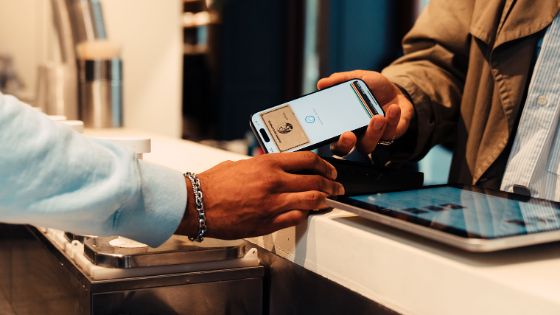

Die Nahaufnahme einer mobilen Zahlung mit Apple Pay und goldener American Express Karte veranschaulicht, wie nahtlos Premium-Lifestyle und smarte Finanzlösungen im Alltag zusammenfinden. Am Tresen entsteht ein Moment von Komfort, Geschwindigkeit und Sicherheit, der den Markenkern von American Express sichtbar macht: einfach eingerichtet, kontaktlos bezahlt und weiterhin von Kartenvorteilen wie Membership Rewards profitieren. Für redaktionelle Beiträge im Magazin AMEXperience zeigt das Bild, wie stilvoll mobiles Bezahlen auf Reisen, beim Shopping und in exklusiven Lebenswelten funktioniert.

Everything you need to know at a glance
Apple Pay enables secure, contactless payments via iPhone or Apple Watch at NFC terminals and for online purchases, including with your American Express credit card. To set this feature up, simply add your credit card to Apple Wallet and verify it. Each transaction is protected by advanced security features such as Face ID, Touch ID, or a passcode.
This digital payment service thus offers a convenient, hygienic and rapid alternative to physical cards, in everyday life and while traveling. Cardholders also enjoy American Express advantages when paying with Apple Pay, such as collecting Membership Rewards points, in Switzerland and worldwide.
A quick guide: mobile payment with Apple Pay and American Express
Apple Pay is Apple’s digital payment service, and allows you to make mobile payments using compatible devices such as your iPhone or Apple Watch. To do this, your credit card is stored in Wallet via the Apple ID linked to your device. It also works with all American Express credit cards.
With Apple Pay, you can make convenient contactless payments in-store via NFC, whether in Switzerland or abroad. Apple Pay also simplifies the ordering process for online purchases, as your credit card information is already stored.
There’s no need to worry about security: Your card details are never directly transmitted during payment. The process is also protected by an extra layer of authentication.
Advantages: more convenience paying with Apple Pay
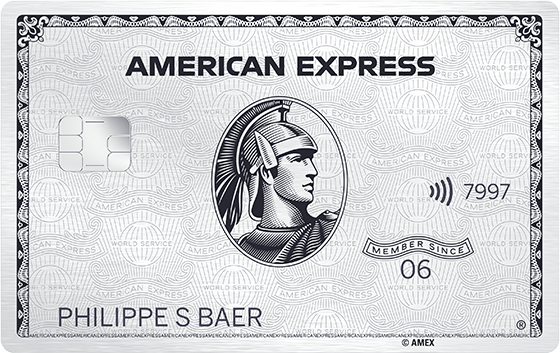
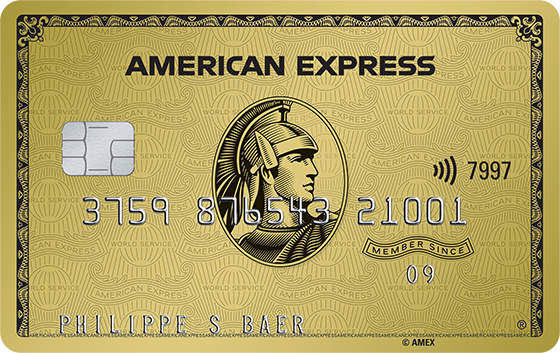
Contactless payments with Apple Pay and your American Express Card – such as the Gold Card or Platinum Card – offer practical advantages in daily life and when traveling. Wherever the payment service is accepted, your payment process becomes more convenient. Look for the corresponding Apple Pay or NFC payment logos.
Instead of searching for your wallet while on the go, simply reach for your iPhone or hold your Apple Watch against the card reader. You can also pay for taxi rides or public transportation quickly and easily this way.
Using Apple Pay with American Express credit cards also offers the following advantages:
- There are no additional fees when using Apple Pay.
- You continue to enjoy card benefits. For example, you collect Membership Rewards bonus points with each card transaction, which you can later redeem for attractive rewards, and you benefit from insurance coverage for travel services paid for using your credit card.
- Payments with Apple Pay are contactless and therefore more hygienic. You don’t need to enter your PIN at the card terminal.
Easy to set up: how to add American Express Cards to Apple Pay
You can set up Apple Pay in just a few steps. To add your American Express credit card to your Wallet, you need a device compatible with Apple Pay– such as an iPhone, iPad, iMac or Apple Watch – with an active Apple ID and, ideally, the latest software update.
Here’s how to link your American Express credit card to Apple Pay on your iPhone:
- Open the Apple Wallet app on your iPhone.
- Tap the plus sign to add a new card, then select the "Debit or Credit Card" option.
- Select American Express and scan the card or enter the credit card details manually.
- Accept the terms of use.
- Verify your identity using the confirmation code sent to you via text message or by phone.


How to pay with your iPhone or Apple Watch
With Apple Pay, you can pay at any store that offers the payment service. To do so, press the side button on your iPhone quickly twice in succession. After a brief authentication process, Apple Wallet opens and your credit card is displayed. All you have to do then is to hold your smartphone against the card terminal. A short beep or vibration confirms the payment.
Authentication is an essential step for security when paying with Apple Pay. It is how you confirm that you are the one making the payment. You can authenticate using Face ID, Touch ID, or a passcode – the choice is yours. You can customize this setting on your device.
On the Apple Watch, you also press the side button briefly twice to open Wallet and make a payment. The passcode for the watch serves as a security measure. If you’re shopping online instead, simply click the Apple Pay logo during the checkout process.
If your device is lost or stolen, you should block it through your Apple account immediately. This will also block any stored credit card information. If in doubt, contact the Swisscard customer service team.


Make easy, quick, secure payments
With Apple Pay and your American Express Card, the hassle of finding your wallet is a thing of the past. In stores, all it takes is a quick reach for your iPhone or Apple Watch; when shopping online, your payment details are already saved. Each payment is further secured with Face ID, Touch ID, or a passcode. If you don’t have a compatible Apple device, you can still make mobile payments with American Express using Samsung Pay and Google Pay.
You also continue to enjoy the advantages offered by your card along the way. The Platinum Card, in particular, offers many attractive benefits that make your everyday life and travel even more comfortable. These include dining benefits, free access to airport lounges, and advantages with car rental partners and hotel programs.
Which American Express Card fits your lifestyle?
Frequently asked questions and answers
Apple Pay is a digital payment service where your credit card is stored in the Wallet app of a compatible device via your Apple ID. When paying in-store, the data is transmitted on a contactless basis via NFC, and each transaction is authenticated using Face ID, Touch ID or a code.
To set up Apple Pay, open the Wallet app on your iPhone, tap the plus icon, and select "Debit or Credit Card" followed by American Express. Then scan the card or enter the details manually, accept the terms of use, and complete the authentication using a confirmation code or your phone.
No, there are no additional fees for using Apple Pay with American Express.